
Your own keymap
HotkeyPilot reads the keys from your keymap, also your own changes and the industry-compatible keymap.

Why it helps
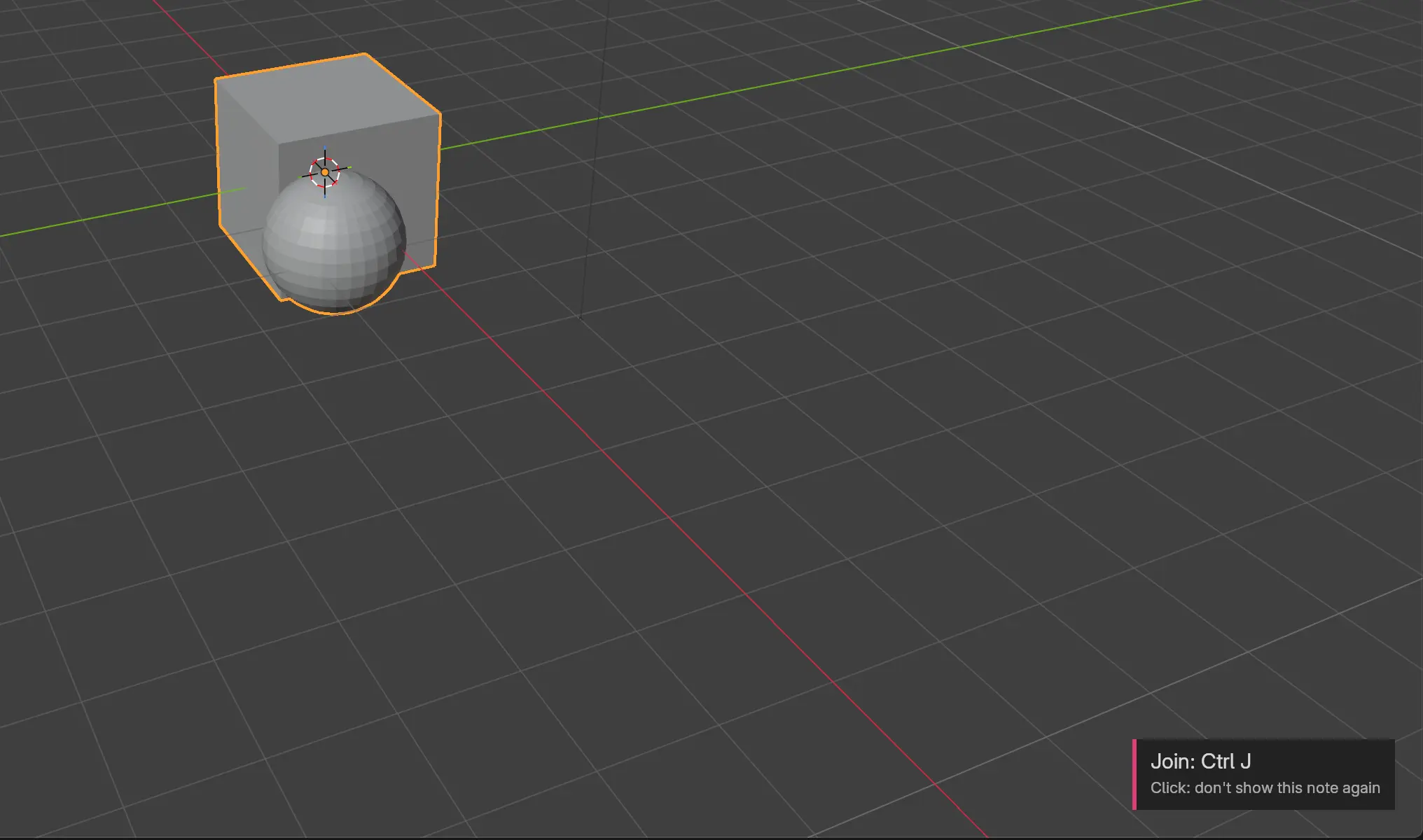
A list of 200 shortcuts is hard to learn from. The keys worth knowing are the ones for the commands you run every day.
HotkeyPilot watches which commands you still click in menus and shows you their keys at that moment. After you have used a key three times, its note stops.
No key yet?
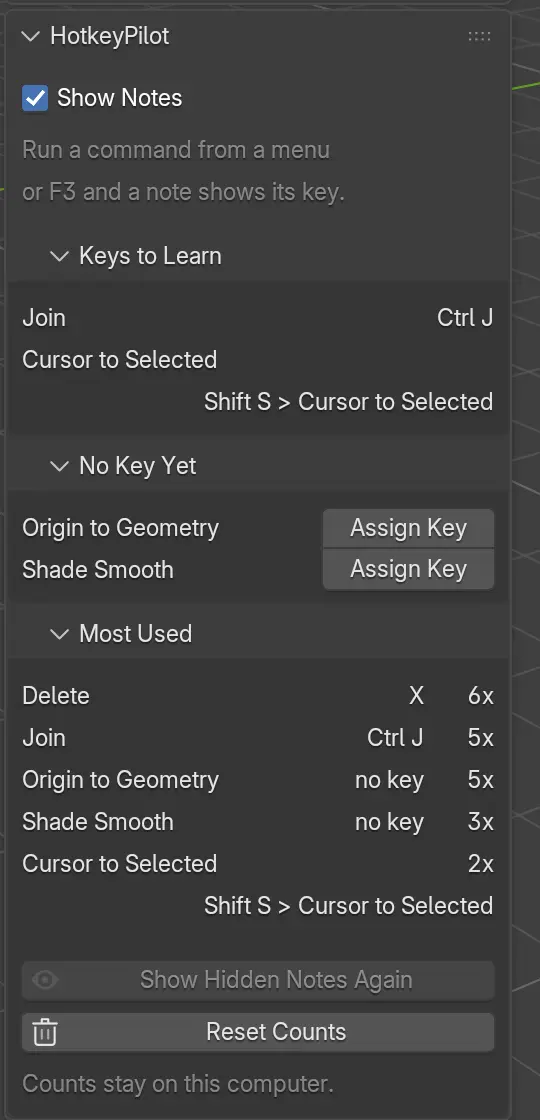
Some commands have no key at all. When you run one of them three times, it shows under No Key Yet in the sidebar.
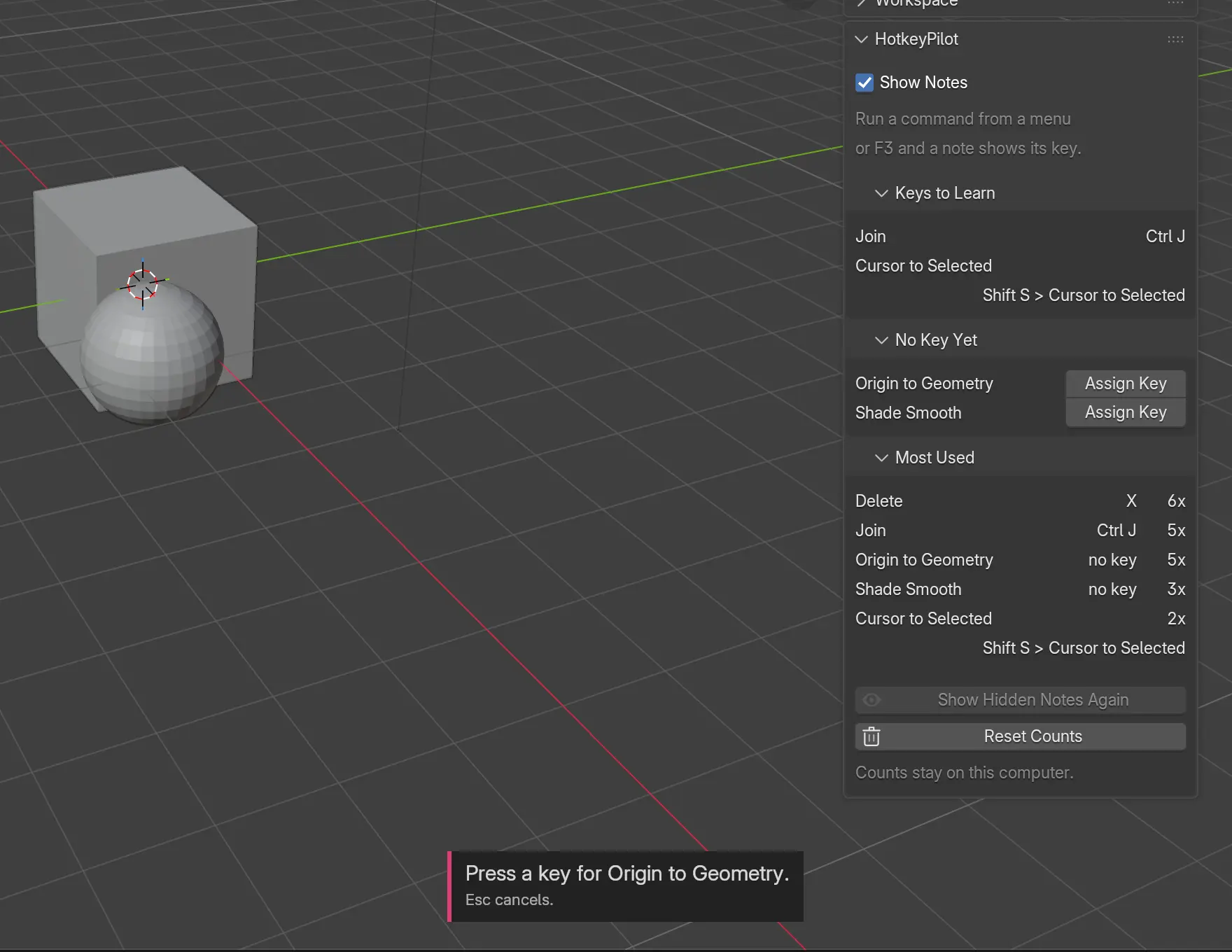
You click Assign Key and press the key you want. If Blender already uses that key, HotkeyPilot says which command it runs, and you pick another.
What you get
Your own keymap
HotkeyPilot reads the keys from your keymap, also your own changes and the industry-compatible keymap.
In every mode
HotkeyPilot reads the keymap of the mode you work in, from Object and Edit Mode to Sculpt and Pose Mode. A key that opens a menu shows as the path, such as Shift S > Cursor to Selected.
Nothing in your file
Your scenes stay as they are. The counts live in one small file on your computer, and HotkeyPilot sends nothing anywhere.
Blender 4.2 and later
Pure Python, so it runs on Windows, Linux and macOS. Autosave keeps working with HotkeyPilot on.

Install it, keep working as you do, and pick up the keys as you go.