
The panel
Press N in the 3D Viewport and click the HotkeyPilot tab. The panel shows what HotkeyPilot has counted so far. The counts are kept on your computer, not in your .blend files.
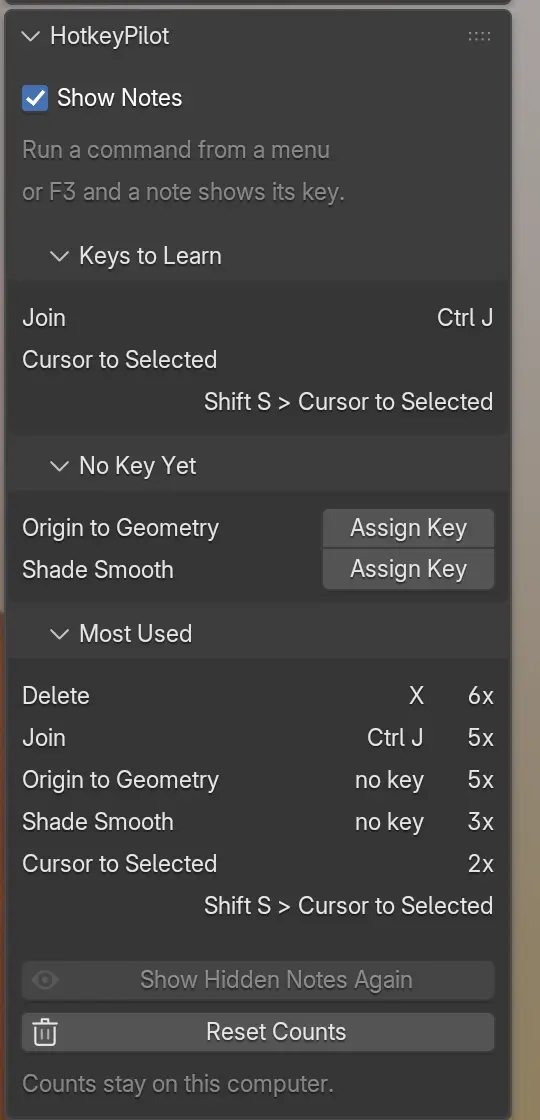
Show Notes
Section titled “Show Notes”Untick it to stop the notes. HotkeyPilot still counts what you run, so the lists below keep growing. The same setting is in the preferences.
Keys to Learn
Section titled “Keys to Learn”Commands that have a key, which you still run from a menu or F3 search more often than by the key. The command you click most is at the top, with its key beside it. A command leaves the list once you use its key as often as the menu.
No Key Yet
Section titled “No Key Yet”Commands you have run three times or more that no key reaches. Clicks that select in the viewport never show here. HotkeyPilot also shows a note the third time you run such a command: Origin to Geometry: no key yet. Assign one in the sidebar (N), HotkeyPilot tab.
Assign Key
Section titled “Assign Key”- Click Assign Key beside the command.
- The note in the viewport corner reads Press a key for Origin to Geometry. Press the key you want, with Ctrl, Shift or Alt if you like.
- If Blender already uses that key in this mode, the note says so, such as Ctrl J already runs Join., and you press another one. Esc cancels.
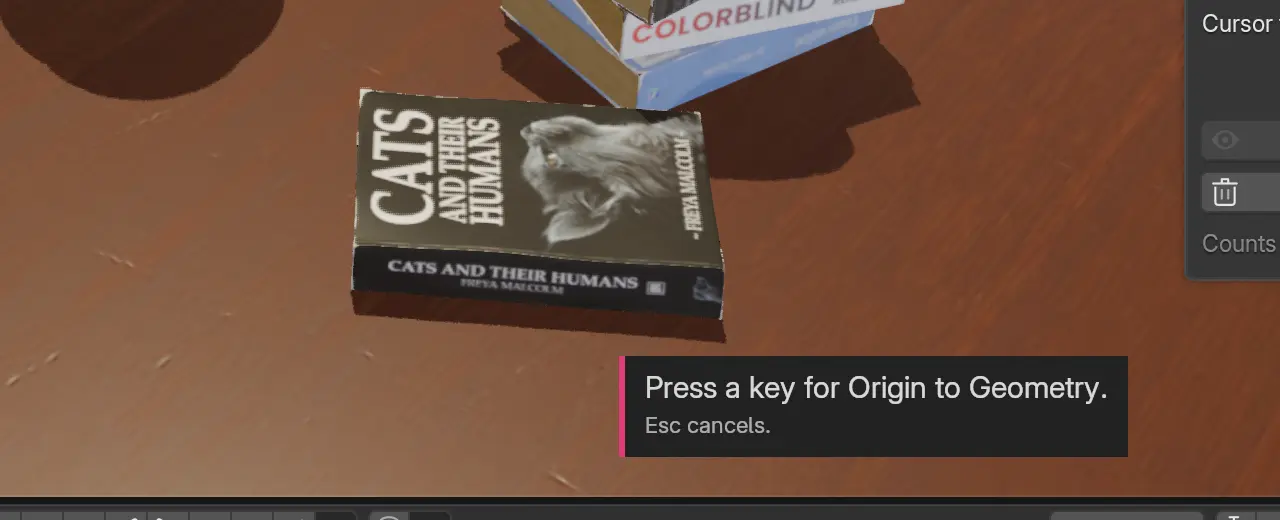
The key goes into your keymap, so it stays after a restart. You can change or remove it in Edit > Preferences > Keymap, like any other key. HotkeyPilot leaves Esc, Enter, Space, Tab, F3, Backspace and Delete to Blender and asks for another key.
Most Used
Section titled “Most Used”Your five most run commands, with their key (or no key) and how often you ran them.
Show Hidden Notes Again
Section titled “Show Hidden Notes Again”A click on a note hides it for good for that command. This button brings every hidden note back, and shows how many there are. It is greyed out while no note is hidden.
Reset Counts
Section titled “Reset Counts”Forgets every count and every hidden note, after you confirm. Keys you gave with Assign Key stay in your keymap.